Say hello to the Docker MCP Catalog in Crush! We teamed up with Docker to natively integrate the Docker MCP Catalog into Crush and—if we do say so ourselves—it rocks.
During a conversation, Crush and Docker work together to pull in relevant MCPs on demand. Working with Postgres? Building a robot? Going deep on ARM? Crush and Docker will load in in the MCP you need, when you need it (and yes, Crush will still ask for permission).
Not only is this a great way to not think about config, it’s a great way to not think about MCP. Ironic, eh? Of course, if you do like thinking about MCPs you can ask Crush to add specific MCPs from the Docker MCP Catalog, too.
To get started, make sure Docker Desktop is running, then fire up Crush, press
ctrl+p, choose “Enable Docker MCP Catalog”, and get to work. That’s it.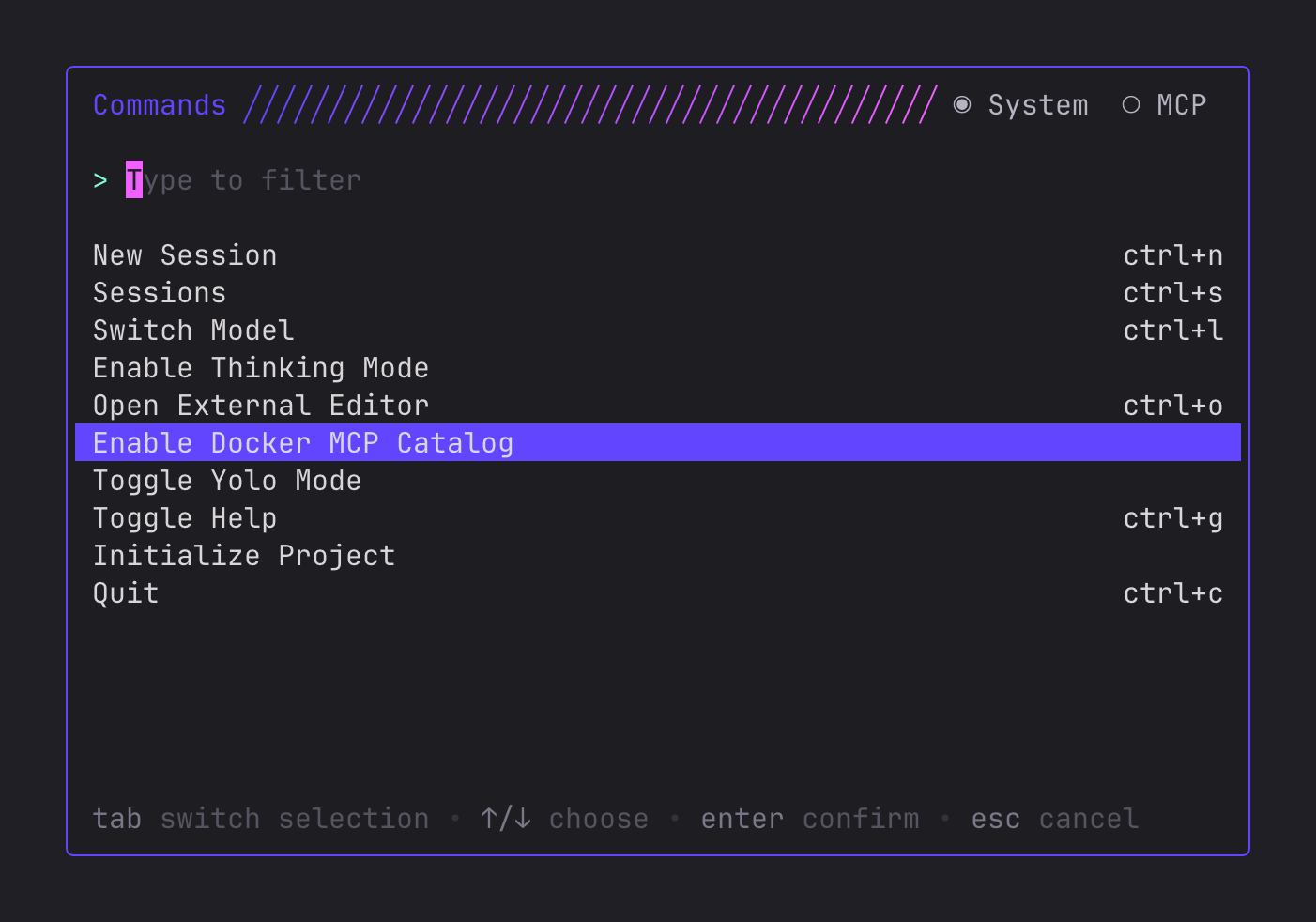
One of our favorite use cases is using the Hugging Face MCP to find an
appropriate model for the current machine, pull it down, and run it.
Here are some of the things you can do doing Crush + Docker MCP:
- Query your SQLite, MongoDB or Elasticsearch databases
- Manage cloud stuff like AWS, Azure or Heroku
- Send emails with Resend
- Wrangle GitHub issues and pull requests
- Interact with Unreal Engine
- Search the Minecraft Wiki
- And many others: see for yourself
We had a ton of fun building this with Docker and we hope you enjoy this new feature as much as we do.
Pro Tip
Some MCPs require secrets and configuration flags. If that happens, Crush will politely ask you to set them up, and it’s as simple as throwing a few commands on the ol’ CLI. For example, here’s how you would set up the Resend MCP:
docker mcp secret set resend.api_key={my_resend_key}
docker mcp config set resend.sender={my_email_address}
docker mcp config set resend.reply_to={my_email_address}